Key Takeaways
- ArtCraft is a free, open-source suite of creative tools that runs entirely in the browser — no installation, no account required
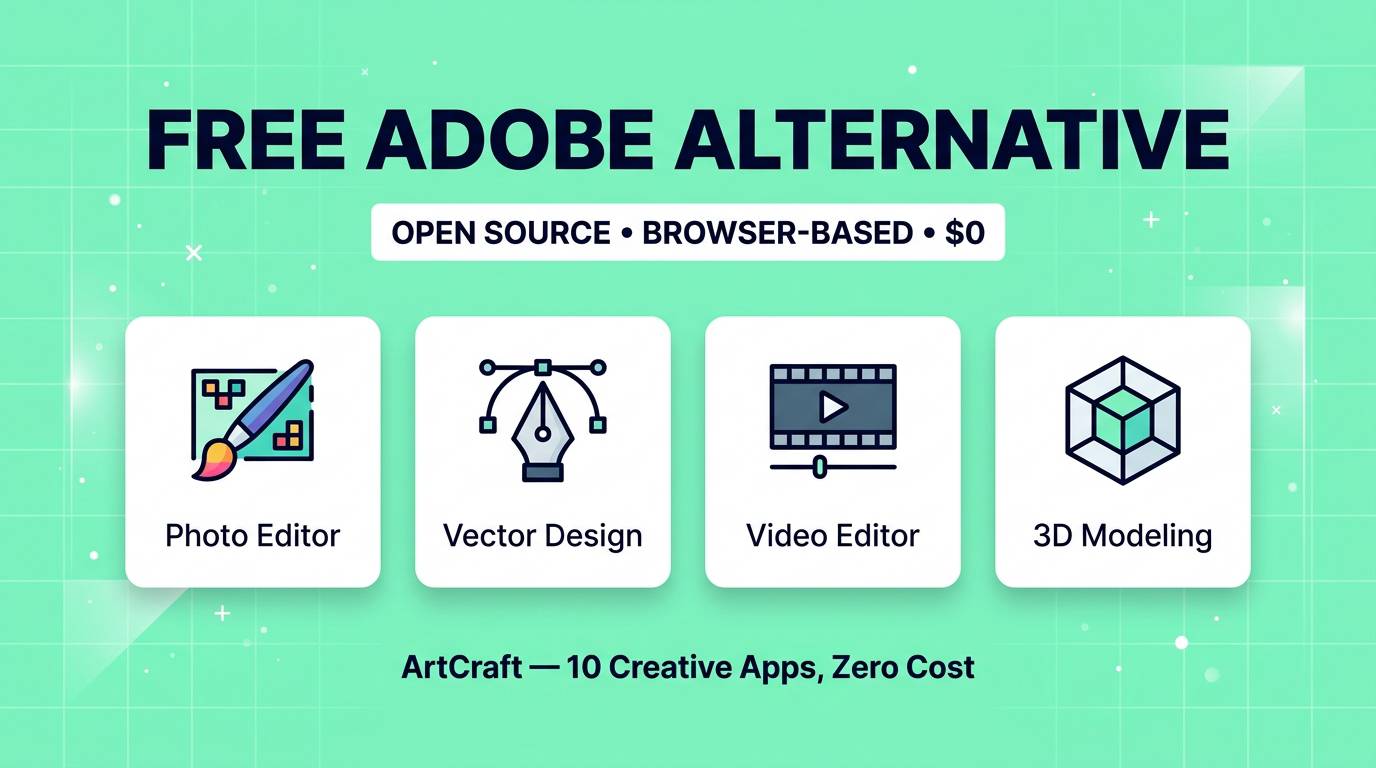
- It covers 10 creative disciplines: photo editing, vector design, video editing, audio editing, animation, 3D modeling, UI design, document editing and more
- Built by a solo developer and released on GitHub — the entire project is open source
- It is not a toy — the tools are functional enough for real creative work, though they do not match Adobe's depth
- Adobe Creative Cloud costs $59.99/month. ArtCraft costs $0. That gap is why the internet lost its mind this week
Every few months, someone announces they have built a "free Photoshop alternative" and it turns out to be a basic image cropper with three filters. We have all been burned before. So when ArtCraft started trending with claims of being a free replacement for the entire Adobe Creative Cloud, I expected to be disappointed.
I was not disappointed.
ArtCraft is not perfect. It is not going to replace Adobe for professional studios tomorrow. But what a single developer has built here — a complete suite of creative tools that runs in a browser tab, covers everything from photo editing to 3D modeling, requires no account and costs absolutely nothing — is genuinely remarkable. And judging by the internet's reaction this week, I am not the only one who thinks so.
Here is what ArtCraft actually is, what it can and cannot do, and whether you should care.
What Is ArtCraft?
ArtCraft is a collection of browser-based creative tools that collectively cover the same ground as Adobe Creative Cloud. You open a URL, pick the tool you need, and start working. No downloads. No installations. No account creation. No credit card. No "free trial that expires in 7 days." Just tools.
The project is entirely open source, hosted on GitHub, built by a solo developer who apparently decided that creative software should not cost $720 per year. Each app in the suite corresponds roughly to an Adobe equivalent — photo editing for Photoshop, vector design for Illustrator, video editing for Premiere Pro, and so on.
What makes ArtCraft different from previous "free Adobe alternatives" is the breadth. We have had free Photoshop alternatives for years (GIMP, Photopea). We have had free vector editors (Inkscape, Vectr). But nobody has shipped a single, unified suite that covers photo editing, vector graphics, video editing, audio editing, animation, 3D modeling, UI design and document editing — all in the browser, all free, all from one project.
That is what made the internet pay attention.
Every App in the Suite
ArtCraft includes tools across 10 creative categories. Here is what each one does and what Adobe app it roughly replaces:
| ArtCraft App | What It Does | Adobe Equivalent | Adobe Price (Solo) |
|---|---|---|---|
| Photo Editor | Layers, filters, retouching, adjustments, masks, brushes | Photoshop | $22.99/mo |
| Vector Editor | Vector shapes, paths, pen tool, typography, SVG export | Illustrator | $22.99/mo |
| Video Editor | Timeline editing, cuts, transitions, text overlays, export | Premiere Pro | $22.99/mo |
| Audio Editor | Waveform editing, effects, mixing, noise reduction | Audition | $22.99/mo |
| Motion/Animation | Keyframe animation, motion graphics, timeline | After Effects | $22.99/mo |
| 3D Modeling | Mesh modeling, texturing, rendering, scene building | Substance / Dimension | $49.99/mo |
| UI Designer | Component-based design, prototyping, layout tools | XD | Discontinued |
| Document Editor | Page layout, typography, multi-page documents | InDesign | $22.99/mo |
| Drawing/Sketching | Freehand drawing, brushes, pressure sensitivity | Fresco | Free (limited) |
| Color Tools | Palette generation, color harmony, accessibility check | Adobe Color | Free |
The math is staggering: To get Photoshop, Illustrator, Premiere Pro, After Effects, Audition and InDesign from Adobe, you would pay $59.99/month for the All Apps plan — that is $719.88 per year. ArtCraft gives you functional equivalents of all of these for $0.
ArtCraft vs Adobe: The Price Gap
Let us be clear about what we are comparing. Adobe Creative Cloud is the professional industry standard with 30+ years of development, thousands of engineers, deep AI integration and ecosystem lock-in. ArtCraft is a solo developer project that launched this week. They are not on equal footing — and they do not pretend to be.
But the price comparison is what makes people stop and think:
| Feature | Adobe Creative Cloud | ArtCraft |
|---|---|---|
| Price | $59.99/month ($719.88/year) | $0 — Free forever |
| Installation | Desktop app required | Browser-based, nothing to install |
| Account required | Yes + payment method | No |
| Number of apps | 20+ apps | 10 apps |
| Professional depth | Industry standard, extremely deep | Functional but not as deep |
| AI features | Firefly, Generative Fill, Neural Filters | Limited / None |
| Cloud storage | 100GB included | Local/browser storage |
| Collaboration | Built-in team features | Limited |
| File compatibility | .psd, .ai, .indd (proprietary) | Standard formats (PNG, SVG, MP4) |
| Source code | Proprietary, closed | Open source (GitHub) |
| Works offline | Yes (desktop) | Requires internet |
| Platform | Windows, Mac | Any device with a browser |
The comparison is not "ArtCraft is better than Adobe." It is "ArtCraft is free and Adobe costs $720/year — and for a surprising number of use cases, free is good enough."
What Actually Works Well
I spent several hours testing each tool. Here is what genuinely impressed me:
The photo editor is legitimately usable. Layers work. Brushes work. Adjustment layers, masks, blend modes — the core Photoshop workflow is there. For social media graphics, blog images, basic retouching and photo adjustments, you can do real work here. It is not Photoshop, but it is closer to Photopea than to a toy.
The vector editor handles real design tasks. Pen tool, shapes, boolean operations, typography, SVG export. If you need to create a logo, design an icon set or build a simple illustration, the tools are there. Designers who have used Figma or Sketch will find the interface familiar enough.
Browser-based means truly cross-platform. I tested on a Windows desktop, a MacBook, a Chromebook and an iPad. It worked everywhere. No "download the Mac version" or "requires Windows 11." Open a browser, start creating. For students, freelancers in developing countries, or anyone on a Chromebook — this accessibility matters enormously.
No account means no friction. This sounds trivial but it changes behavior. You do not "commit" to ArtCraft by creating an account and entering payment info. You just try it. The psychological barrier to starting is zero. I have recommended it to three non-technical friends this week and all of them were editing photos within 60 seconds.
Open source means it can only get better. The project is on GitHub. Developers can contribute features, fix bugs, add plugins. The history of open source shows that community-driven projects can eventually match or exceed commercial tools — Linux, Blender, VS Code, WordPress all started as scrappy alternatives to dominant incumbents.
What Works
- Photo editing — solid for 80% of everyday tasks
- Vector design — handles logos, icons and illustrations
- Cross-platform — works on any device with a browser
- Zero friction — no account, no install, no payment
- Open source — community can contribute and improve
What Does Not Work Yet
Honesty matters more than hype. Here is where ArtCraft falls short:
The video editor is basic. Simple cuts, transitions and text overlays work fine. But multi-track editing, color grading, audio sync and effects that Premiere Pro users rely on are either missing or rudimentary. For trimming clips and basic social media edits — fine. For professional video production — not yet.
3D modeling is early-stage. The tool exists and basic mesh operations work, but comparing it to Blender (which is also free) reveals how much ground there is to cover. 3D professionals will not find enough here. Curious beginners might enjoy it as a starting point.
No AI features. Adobe has invested billions in AI — Firefly, Generative Fill, Neural Filters, Content-Aware Fill. These features are transformative for modern creative workflows. ArtCraft has none of them. In 2026, the absence of AI capabilities is a significant gap.
Performance varies. Browser-based tools have inherent limitations. Large files, complex compositions and heavy video editing can strain browser memory. A desktop application will always have more direct access to hardware resources. Power users will hit ceilings that Adobe users never encounter.
No ecosystem. Adobe's moat is not just software quality — it is the ecosystem. Creative Cloud libraries shared across apps, Behance integration, Adobe Fonts, Stock integration, team collaboration, version history, cloud sync. ArtCraft is a collection of tools. Adobe is a platform. That difference matters for professional teams.
File compatibility is limited. You cannot open .psd files with all layers intact. You cannot import .ai files. The creative industry runs on Adobe's proprietary formats, and ArtCraft works with standard open formats (PNG, SVG, MP4). This is a philosophical choice — open standards are better for the world — but a practical limitation for anyone collaborating with Adobe users.
Reality check: ArtCraft is remarkable for a free, solo-developer project. But if your livelihood depends on creative software — if you are a professional designer, video editor or photographer — Adobe remains the safer choice. ArtCraft is best understood as a complement, a starting point, or a solution for specific use cases where Adobe is overkill.
Who Is This Actually For?
Not everyone needs Adobe. Here is who benefits most from ArtCraft:
Students and learners. If you are learning design, photo editing, video editing or any creative skill, paying $60/month for software is a brutal barrier. ArtCraft removes that barrier entirely. Learn the concepts, build skills, create a portfolio — then decide if you need professional tools later.
Casual creators. You edit photos for your blog. You make thumbnails for YouTube. You trim videos for social media. You design the occasional flyer. You do not need Photoshop — you need a tool that works without drama. ArtCraft is that tool.
Startups and small businesses on a budget. When your entire design budget is zero, ArtCraft lets you create marketing materials, social graphics, product images and basic videos without spending anything. As revenue grows, you can graduate to professional tools.
Developers and technical users. The open-source nature appeals to developers who want to understand creative tools, contribute features, or integrate creative capabilities into their own projects.
Anyone on a Chromebook or restricted device. Browser-based means it works everywhere — including devices where you cannot install traditional software. Schools, libraries, shared computers, corporate-locked machines — ArtCraft works on all of them.
Best For / Not For
- Perfect for: Students, casual creators, small businesses, budget-conscious freelancers, Chromebook users
- Good enough for: Social media content, blog graphics, basic photo retouching, simple video edits, logo drafts
- Not ready for: Professional print production, broadcast video editing, complex 3D work, team collaboration at scale
The Open Source Factor
This deserves its own section because it changes the entire equation.
Adobe is proprietary software. If Adobe raises prices (they have), changes terms (they have), removes features (they have) or discontinues a product (they killed XD) — you have no recourse. Your workflows, your files, your muscle memory — all locked into a platform controlled by a corporation that answers to shareholders, not users.
ArtCraft is open source. The code is on GitHub. Anyone can fork it, modify it, host it, improve it. If the original developer stops working on it tomorrow, the community can continue. Your tools cannot be taken away. Your access cannot be revoked. The price cannot increase because the price is zero.
This is the same dynamic that made Linux the backbone of the internet, Blender the standard for indie 3D, and VS Code the most popular code editor in the world. Open source does not always win on day one. But it has a track record of winning over time.
The early signs are promising. The GitHub repository is attracting contributors. Issues are being filed and resolved. Feature requests are being discussed. If ArtCraft builds a healthy open-source community, the gap with commercial tools will narrow steadily — just as Blender went from a curiosity to an industry-standard tool over a decade.
The Blender precedent: In 2010, no professional studio used Blender. By 2026, it is used at Netflix, Epic Games, Ubisoft and hundreds of studios worldwide. Open source creative tools can absolutely reach professional grade — they just need time and community.
Frequently Asked Questions
Is ArtCraft really completely free?
Yes. ArtCraft is free to use with no hidden costs, no premium tier, no "free trial" that expires and no features locked behind a paywall. The project is open source, meaning the code is freely available and the tools are free to use by anyone.
Do I need to create an account?
No. You can start using ArtCraft immediately without creating an account, providing an email address or entering any payment information. Just open the website and start creating.
Can ArtCraft replace Adobe Photoshop?
For basic to intermediate photo editing — social media graphics, blog images, simple retouching, filters and adjustments — ArtCraft's photo editor is a viable Photoshop replacement. For advanced professional work — complex compositing, high-end retouching, print-ready CMYK workflows — Photoshop remains superior.
Does ArtCraft work on mobile devices?
ArtCraft runs in any modern browser, so it technically works on mobile devices and tablets. However, the interface is designed primarily for desktop use. Tablets with a keyboard provide a reasonable experience; phones are too small for productive creative work.
Is ArtCraft safe to use?
ArtCraft is open source, meaning the code is publicly auditable on GitHub. Your files are processed in your browser rather than uploaded to external servers. No account means no personal data collection. From a privacy and security perspective, open-source browser tools are generally transparent and safe.
Can I use ArtCraft for commercial projects?
Yes. ArtCraft is open source and the output you create belongs to you. There are no licensing restrictions on what you create with the tools. Use it for client work, commercial products, marketing materials — anything you want.
Can ArtCraft open Photoshop (.psd) or Illustrator (.ai) files?
ArtCraft works primarily with standard open formats — PNG, JPEG, SVG, MP4, WAV, etc. Full support for proprietary Adobe formats like .psd and .ai with complete layer preservation is not available. If you need to work with Adobe files, tools like Photopea offer better PSD compatibility.
How does ArtCraft compare to Canva?
Different tools for different users. Canva is a template-driven design platform — great for quick, polished graphics using pre-made templates. ArtCraft is a blank-canvas creative suite — more like Adobe's approach where you start from scratch with professional-level tools. Canva is easier; ArtCraft is more flexible. Canva has a paid tier; ArtCraft is completely free.
Our Verdict
The Bottom Line
ArtCraft is the most ambitious free creative tool suite we have seen. It will not replace Adobe for professional studios, but it democratizes access to creative software in a way that nothing else has. For students, casual creators, small businesses and anyone who thinks $720/year is too much for basic creative tools — ArtCraft is a genuine game-changer.
The fact that this was built by a solo developer and released for free makes it even more remarkable. Whether ArtCraft becomes the "Blender of 2D creative tools" depends on whether a community forms around it. The early signs are promising.
Try it now: getartcraft.com/apps — no signup, no download, no cost. You have nothing to lose and a potential Adobe subscription to cancel.
ArtCraft Scores
The AI tools landscape is moving fast — and so is the open-source creative tools movement. ArtCraft represents a shift: professional-quality creative software does not have to cost hundreds of dollars per year. Whether you use it as your primary tool or keep it bookmarked as a free fallback, it deserves your attention.
Looking for AI-powered creative tools? Browse our full directory of 100+ reviewed tools across every category, including AI image generators and AI video tools.