Key Takeaways
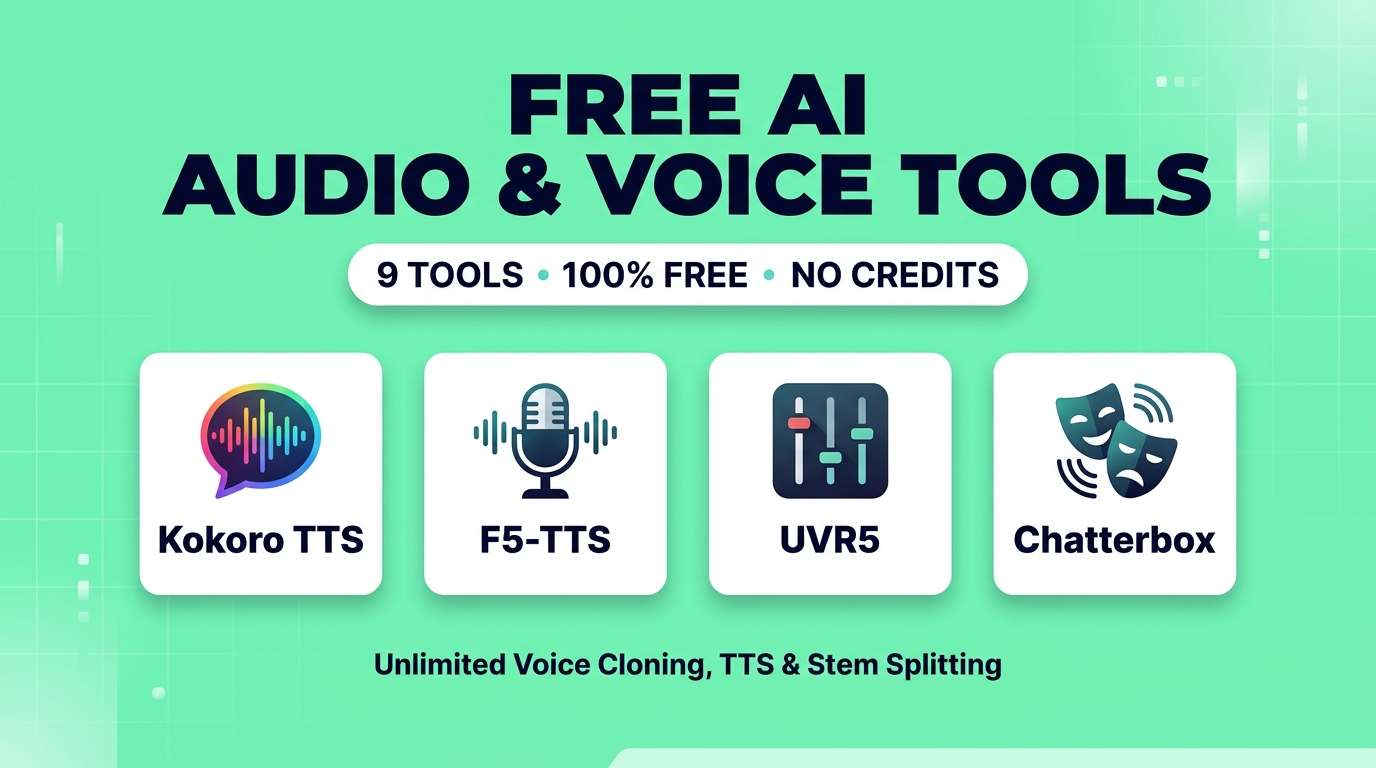
- Zero fake "free" tiers: Every tool on this list is 100% free and open-source — no 10-minute monthly caps, no credit walls and no forced subscriptions.
- Kokoro-82M is the undisputed king of lightweight, hyper-natural Text-to-Speech (TTS) that runs fast even on standard CPUs.
- F5-TTS and Chatterbox deliver studio-grade zero-shot voice cloning from just 5 seconds of reference audio.
- Ultimate Vocal Remover (UVR5) destroys paid web splitters for isolating vocals, drums, bass and instrumentals.
- Whisper Large-v3 Turbo (via Vibe) transcribes hours of audio locally with near-human accuracy at $0 cost.
Let us address the biggest lie in the AI audio space right now: almost every "free AI voice generator" you find on Google is actually a 3-minute trial disguised as a free tier. You sign up, type two paragraphs of text, hit a credit paywall, and get asked for $22 a month. If you are a creator producing long-form YouTube videos, audiobooks, podcasts or music remixes, character limits burn through your wallet fast.
Here is what the paid platforms hope you do not notice: over the last year, the open-source audio community has completely caught up to commercial giants like ElevenLabs, Murf and Lalal.ai. Better yet, most of these open-weight models no longer require a $2,000 gaming PC or a PhD in Python to run. Many run right in your browser via WebGPU, or install in one click on a standard laptop.
I tested over two dozen open-source and community-driven audio tools to find the ones that are genuinely 100% free, unlimited, and studio-ready. No ChatGPT voice, no credit traps — just pure, unrestricted audio power.
Quick Comparison Table
| Tool | Primary Use Case | Hardware Needed | License | Replaces Paid Tool |
|---|---|---|---|---|
| Kokoro-82M | Natural Text-to-Speech | Any CPU / Browser | Apache 2.0 | ElevenLabs (Standard TTS) |
| F5-TTS | 5-Second Voice Cloning | 6GB+ VRAM or Cloud Space | MIT | ElevenLabs Instant Clone |
| UVR5 | Vocal & Stem Splitting | CPU or GPU (Desktop) | MIT | Lalal.ai / Moises |
| Chatterbox | Emotional TTS & Cloning | 8GB+ VRAM or Pinokio | Apache 2.0 | PlayHT / Hume AI |
| Applio | Voice-to-Voice & Singing | 6GB+ VRAM | MIT | Voice.ai / Kits.AI |
| Fish Speech 1.5 | Multilingual TTS & Cloning | 6GB+ VRAM | Apache 2.0 | Murf.ai / HeyGen Audio |
| Vibe (Whisper) | Speech-to-Text & Subtitles | Any Mac / Windows PC | MIT | Otter.ai / Descript |
| Audacity OpenVINO | AI Noise Removal & Gen | Intel/AMD CPU (Desktop) | GPL v3 | Adobe Podcast Enhance |
| MMAudio | Video-to-SFX Foley | 8GB+ VRAM or HF Space | MIT | ElevenLabs Sound Effects |
1. Kokoro-82M — Best Ultra-Fast Natural TTS
Kokoro-82M broke every assumption the AI industry had about model size. While tech giants were building massive multi-billion-parameter audio models that require enterprise servers, hexgrad released Kokoro with just 82 million parameters — and it consistently beats models 10 times its size in blind listening tests.
The secret is in the prosody (the rhythm and intonation of speech). Traditional free TTS tools sound robotic because they read every sentence with the same flat cadence. Kokoro breathes, pauses naturally at commas, shifts pitch on questions, and delivers narration that genuinely sounds like a professional audiobook reader or YouTube narrator.
Because the model is tiny (around 300MB), you do not need a dedicated graphics card. You can run it right inside your web browser via WebGPU, install it as a local desktop app to generate 10-hour audiobooks overnight for $0, or commercialize the audio freely under its permissive Apache 2.0 license.
Where Kokoro struggles: it does not do instant zero-shot voice cloning out of the box. Instead, it gives you a curated library of high-quality preset voices (which you can blend together in custom ratios to create unique voices). If you need to clone your own specific voice, jump to F5-TTS below.
Kokoro-82M Scores
2. F5-TTS — Best Zero-Shot Voice Cloning
If you have ever wanted ElevenLabs' Instant Voice Cloning without paying a monthly fee or worrying about character quotas, F5-TTS is the answer. Built on diffusion and flow-matching architecture (Fairytaler that Fakes Fluent and Faithful speech), F5-TTS requires zero model training.
The workflow takes 15 seconds: drop in a clean 8-second WAV or MP3 clip of your voice (or a voice actor's permissioned recording), type the text you want it to say, and hit generate. F5-TTS captures not just the vocal pitch, but the micro-hesitations, room acoustics, speaking speed, and regional accent of the reference clip.
What sets F5-TTS apart from older open-source cloners like XTTS-v2 is speed control and multi-style emotion. You can feed it two different reference clips — one calm, one excited — and instruct the model to switch emotional states mid-paragraph. For podcasters who need to patch a misspoken word without re-setting their microphone, or creators voicing multiple characters, it is magical.
Where F5-TTS struggles: "garbage in, garbage out." If your 5-second reference audio has background hum or room echo, F5-TTS will faithfully clone that echo into the generated speech. Always run your reference sample through a quick denoiser first.
F5-TTS Scores
3. Ultimate Vocal Remover (UVR5) — Best Stem Splitter
Here is an open secret among music producers and DJs: almost all the paid websites that charge you $15/month to remove vocals from a song are running open-source models under the hood. And Ultimate Vocal Remover (UVR5) gives you direct access to every single one of those state-of-the-art models in a free desktop application for Windows, Mac, and Linux.
UVR5 includes a built-in download center where you can grab the latest neural network weights — including MDX-Net, Demucs v4, and RoFormer (Mel-Band and BS-RoFormer). If you have not heard BS-RoFormer split a complex mix, prepare to be floored. It can pull a lead vocal out of a dense rock or hip-hop track with virtually zero metallic phase artifacts.
Beyond basic vocal/instrumental splitting, UVR5 includes specialized AI models that remove room reverb (De-Echo / De-Reverb), separate lead vocals from backing harmonies, and split tracks into 4 or 6 stems (vocals, drums, bass, guitar, piano, other). You can batch-process 50 songs at once with no file size limits.
Pro Tip for UVR5: Once installed, open the "Download Center" inside the app, select MDX-Net or VR Arch, and download the BS-RoFormer and UVR-DeEcho-DeReverb models. Use "Ensemble Mode" to combine two models for studio-master quality.
UVR5 Scores
4. Chatterbox by Resemble — Best Expressive Voice AI
Most free TTS models are great at reading news articles or tutorials, but fall flat when you need dramatic acting, sarcasm, excitement, or theatrical narration. Chatterbox — released as a fully open-source Apache 2.0 model by Resemble AI — solves this with a unique feature: a live Exaggeration & Pacing control.
Built on a 500-million parameter Llama backbone, Chatterbox lets you dial up or down the emotional intensity of the generated voice. Turn the slider down for calm, corporate explainer narration; crank it up for energetic TikTok hooks, video game NPC dialogue, or animated storytelling.
In side-by-side preference benchmarks, Chatterbox frequently outperforms commercial closed-source APIs on expressiveness while delivering sub-200ms latency for real-time applications.
Where Chatterbox struggles: cranking the emotion exaggeration slider too high can occasionally cause the model to hallucinate a gasp or dramatic pause on short sentences. Keep it between 0.5 and 0.7 for the sweet spot.
Chatterbox Scores
5. Applio (RVC) — Best Singing & Voice-to-Voice Conversion
Text-to-Speech is great, but sometimes you want 100% control over the acting, timing, whisper, or singing melody. That is where Voice-to-Voice (RVC) comes in — and Applio is the undisputed king of free RVC software in 2026.
Instead of typing text, you record yourself speaking or singing into your microphone, load a voice model inside Applio, and it transforms your recording into the target voice while keeping every subtle nuance, breath, laugh, and musical note intact. Musicians use it to turn rough demo vocals into polished studio vocalists, and indie animators use it to voice an entire cast of characters by acting out the lines themselves.
Applio also lets you train your own permanent custom RVC voice model from 10 minutes of audio in under half an hour, and includes a built-in search engine linking to thousands of community-trained royalty-free voice models.
Where Applio struggles: it requires a decent GPU (NVIDIA 6GB+ VRAM recommended) if you want to train your own custom voice models locally, though running existing models for inference is very lightweight.
Applio Scores
6. Fish Speech 1.5 — Best Multilingual Voice Cloning
Many open-source voice tools work wonders in English and fall apart the moment you feed them French, Spanish, Arabic, or Japanese. Fish Speech 1.5 (by Fish Audio) was built from the ground up as a true cross-lingual powerhouse, trained on over a million hours of diverse language datasets.
What makes Fish Speech technically brilliant is that it completely ditches traditional "phoneme" dictionaries. Instead, it uses a dual-autoregressive architecture that understands raw text across languages natively — meaning it handles code-switching (mixing English technical terms inside a French or Spanish sentence) better than almost any tool on the market.
You can give it a 10-second clip of yourself speaking English, and immediately generate fluent German or Japanese audio in your exact voice. While Fish Audio offers a hosted cloud platform, the entire Fish Speech 1.5 codebase and weights are 100% open-source on GitHub to run locally without limits.
Fish Speech 1.5 Scores
7. Vibe (Whisper Large-v3 Turbo) — Best Unlimited Transcription
Audio AI is not just about generating sound — it is also about turning hours of spoken audio into accurate text and video subtitles. Paid services like Otter.ai, Rev, and Descript charge monthly subscriptions and strictly cap how many hours of audio you can transcribe.
Vibe is a gorgeous, open-source desktop application (for Windows, Mac, and Linux) that runs OpenAI's open-weight Whisper Large-v3 Turbo model completely offline on your computer. You drag and drop an audio or video file (or paste a YouTube URL), select your language, and get a word-for-word transcript in seconds.
It supports speaker diarization (automatically labeling "Speaker 1" and "Speaker 2" in interviews), exports directly to `.srt` or `.vtt` subtitle files with word-level timestamps for Premiere or CapCut, and translates foreign audio into English automatically. Because everything happens on your machine, confidential client meetings never touch a cloud server.
Vibe Scores
8. Audacity + OpenVINO AI Plugins — Best Free AI Audio Editor
Everyone knows Audacity as the classic free audio recorder, but surprisingly few creators know that Audacity now has an official, completely free suite of local AI plugins developed in partnership with Intel (OpenVINO).
Once you install the free OpenVINO module package into Audacity, you unlock four powerhouse AI tools directly inside your editing timeline:
- AI Noise Suppression: Instantly strips out air conditioning, dog barks, keyboard clicks, and street noise from a cheap microphone recording — rivaling Adobe Podcast Enhance with zero cloud uploads.
- Music Separation: Split any imported song into vocal and instrumental tracks right inside your project.
- Music Generation & Style Remix: Powered by MusicGen, generate royalty-free background loops from a text prompt right onto a new track.
- Whisper Transcription: Automatically generate a label track with synced lyrics or spoken words.
Best of all, it is optimized to run fast on normal laptop processors without requiring a dedicated graphics card.
Audacity OpenVINO Scores
9. MMAudio — Best Video-to-Audio Foley Generator
If you use AI video generators like Kling, Runway, or Seedance, you know the biggest headache: most of them output completely silent MP4 files. Searching stock libraries for footsteps, sword clashes, car engines, and rain sounds — and manually syncing them frame-by-frame — takes longer than generating the video itself.
MMAudio (Multimodal Audio synthesis) is an open-source miracle that watches your silent video and generates synchronized audio that matches the exact on-screen action. If a dog barks at second 2.4 and splashes into water at second 5.1, MMAudio aligns the bark and the splash to the exact video frames.
You can also guide it with a text prompt (e.g., "heavy thunderstorms with distant metallic footsteps") or use it purely as a text-to-SFX generator when you need custom royalty-free sound effects for games and films.
MMAudio Scores
How to Run These Tools in 1 Click (Zero Coding Required)
A common question we hear is: "Open-source sounds great, but I do not know how to use GitHub, Python, or command lines." Good news — in 2026, you do not have to.
The Secret Weapon — Pinokio Browser: Download a free tool called Pinokio (pinokio.computer). It works like an App Store for open-source AI. Search for Kokoro, F5-TTS, Chatterbox, Applio, Fish Speech, or MMAudio inside Pinokio, click "Install," and it automatically sets up everything and opens a clean web interface on your computer.
Alternatively:
- UVR5, Vibe, and Audacity have standard `.exe` (Windows) and `.dmg` (Mac) installers just like any normal desktop software.
- No GPU? Use Hugging Face Spaces or Google Colab: If you are on a Chromebook or an older laptop, you can run Kokoro, F5-TTS, and MMAudio inside free community Hugging Face Spaces directly in your browser.
Which One Should You Choose?
Our Recommendations by Use Case
- You want fast, natural voiceovers for YouTube or audiobooks → Kokoro-82M
- You want to clone a voice from a 5-second audio sample → F5-TTS
- You want emotional, dramatic voice acting → Chatterbox
- You want to isolate vocals or instrumentals from songs → Ultimate Vocal Remover (UVR5)
- You want to convert singing vocals or act out characters yourself → Applio (RVC)
- You need voice cloning across French, Spanish, Asian or Arabic languages → Fish Speech 1.5
- You want unlimited offline subtitles and meeting transcripts → Vibe (Whisper v3 Turbo)
- You want to clean up noisy mic audio and edit on a timeline → Audacity + OpenVINO
- You need synced sound effects for silent AI videos → MMAudio
Frequently Asked Questions
Are these AI audio tools really 100% free with no credit limits?
Yes. Every tool on this list is open-source and runs either locally on your computer or via free community WebGPU/Spaces. There are no character caps, no watermarks, no monthly credit resets, and no hidden subscriptions.
Can I use audio generated by Kokoro, F5-TTS, and Chatterbox commercially on YouTube?
Yes. Kokoro-82M, Chatterbox, and Fish Speech 1.5 use the Apache 2.0 license, and F5-TTS uses the MIT license. Both licenses explicitly grant full commercial rights to use the models and their generated audio in monetized YouTube videos, games, podcasts, and client work — provided you have permission to use any voice you clone.
Do I need an expensive gaming PC to run free AI voice generators?
Not anymore. Kokoro-82M, Audacity OpenVINO, UVR5, and Vibe (Whisper Turbo) run smoothly on standard laptop CPUs and Apple Silicon Macs (M1/M2/M3/M4). For heavier voice cloning models like F5-TTS or Chatterbox, an NVIDIA GPU with 6GB+ VRAM or a modern Mac is recommended for fast local generation.
Is F5-TTS or Kokoro as good as ElevenLabs?
For standard narration, Kokoro-82M achieves roughly 90-95% of ElevenLabs quality at zero cost. For instant zero-shot cloning from short clips, F5-TTS and Chatterbox frequently match or beat ElevenLabs' Instant Voice Cloning in blind tests, though ElevenLabs still holds a slight edge on long-form emotional context with its paid Professional Voice Clones.
What is the best free alternative to Lalal.ai for splitting music stems?
Ultimate Vocal Remover (UVR5) is not only free and unlimited, it actually produces cleaner vocal and instrumental separations than Lalal.ai when using the BS-RoFormer or MDX-Net models.
The era of paying $20 to $99 a month just to generate voiceovers, clean up microphone noise, or split music tracks is officially over. Pick one or two tools from this list, set them up on your machine, and enjoy unlimited studio-grade AI audio forever.
Want to discover more AI tools across every creative discipline? Browse our complete directory of reviewed AI tools.