Key Takeaways
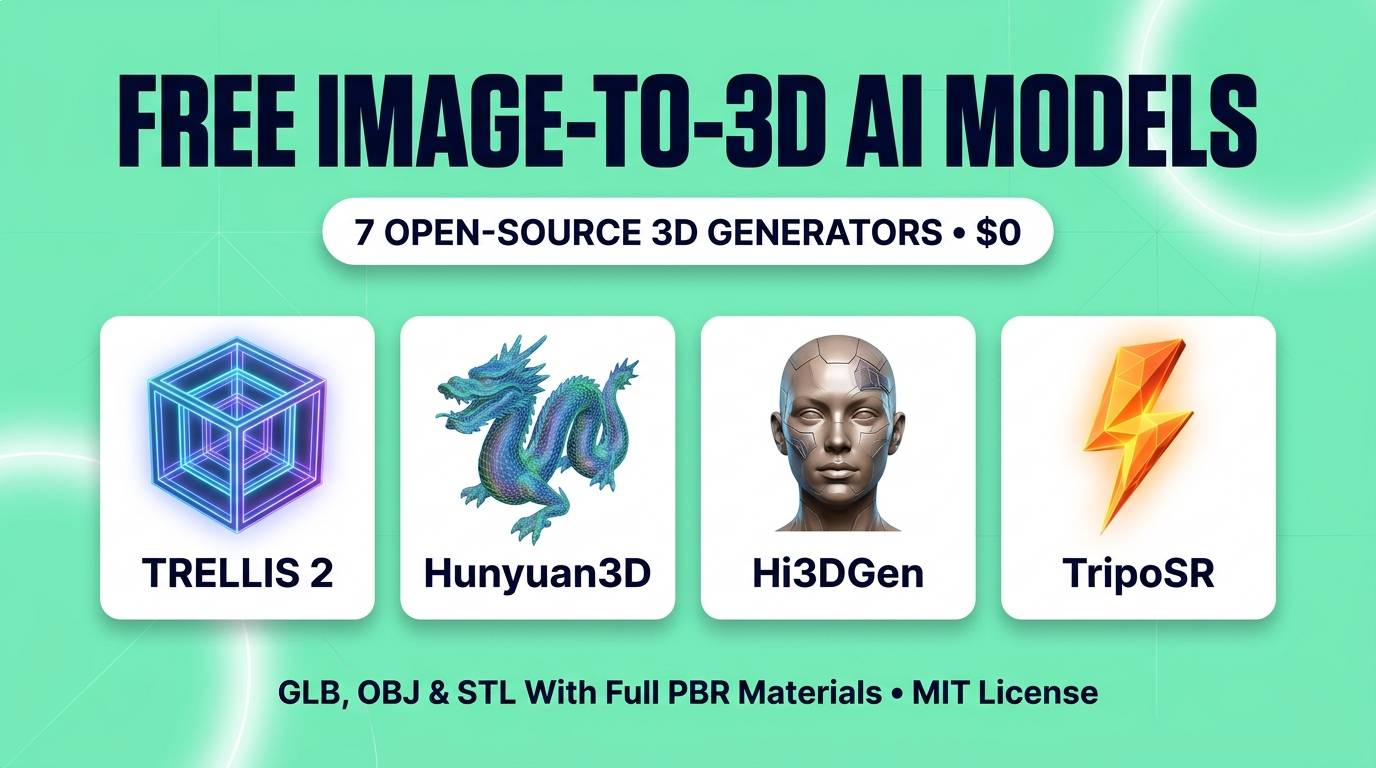
- Zero Credit Paywalls: Every model featured here is open-weight and 100% free to run locally via ComfyUI, Pinokio, or free Hugging Face Spaces — export unlimited GLB, OBJ, and STL files with zero watermarks.
- Microsoft TRELLIS.2: The reigning open-source king (4B parameters, MIT license). Uses native O-Voxel latents to output up to 1536³ resolution assets with full PBR maps (Base Color, Metallic, Roughness, Alpha) in seconds.
- Tencent Hunyuan3D (Open Weights & 3.5 Ecosystem): Unbeatable for decoupled geometry and high-res textures, low-poly retopology, and seamless Blender/Unreal integration.
- Hi3DGen (ByteDance / Stable-X): The sharpness champion — bridges 2D images to 3D geometry via high-frequency normal maps, capturing intricate carvings, fabric folds, and hard edges.
- TripoSR & SPAR3D: Sub-second 3D reconstruction models that run effortlessly on modest 6GB–8GB consumer graphics cards.
If you build indie video games, design 3D prints, sell e-commerce products, or create VFX in Blender and Unreal Engine, you already know how frustrating commercial 3D AI generators can be. Platforms like Meshy, Tripo AI, and Rodin dazzle you with 3 free trial credits — and then demand $20 to $60 a month just to download an unwatermarked `.glb` or `.stl` file.
Worse yet, early AI 3D models produced blobby, melted-plastic meshes with baked-in shadows painted onto a blurry texture map — completely useless for real game engines or 3D printing.
In 2026, open-source 3D research completely closed that gap. Led by breakthrough architectures like Microsoft's TRELLIS.2, Tencent's Hunyuan3D, and ByteDance's Hi3DGen, open-weight models now generate razor-sharp topology, open/non-manifold surfaces, and true Physically Based Rendering (PBR) material channels (Metallic, Roughness, Normal maps) right on your own PC.
We tested the seven best free open-source Image-to-3D models across complex characters, mechanical props, product photos, and 3D-printable sculptures. Here is how they rank.
Quick Comparison Table: Specs, PBR & VRAM
| Model | Creator | PBR Materials | Generation Speed | Min VRAM Needed | License |
|---|---|---|---|---|---|
| TRELLIS.2 (4B) | Microsoft Research | ✅ Full (Color, Metal, Rough, Alpha) | ~3s (512³) / ~17s (1024³) | 12GB–16GB (Quantized) | MIT |
| Hunyuan3D | Tencent | ✅ Full 4K/8K PBR Maps | ~30–60 seconds | 8GB–12GB (Open v2.1/2.5) | Open Weights |
| Hi3DGen | ByteDance / Stable-X | Geometry + Normal Bridging | ~25 seconds | 10GB–12GB VRAM | MIT / Apache 2.0 |
| SPAR3D | Stability AI | ✅ PBR + Point Cloud Edit | ~0.7 seconds | 8GB VRAM | Open Weights |
| TripoSR | Tripo & Stability AI | Vertex / Baked Color | < 0.5 seconds | 6GB VRAM | MIT |
| InstantMesh | TencentARC | Multi-view Baked Texture | ~10 seconds | 8GB VRAM | Apache 2.0 |
| Unique3D | Tsinghua / Community | High-Res Normal + Color | ~30 seconds | 10GB VRAM | MIT |
1. Microsoft TRELLIS.2 (4B) — Best Overall Image-to-3D Model
Developed by Microsoft Research and Tsinghua University under a permissive MIT License, TRELLIS.2 is the single biggest leap in open-source 3D generation. Earlier 3D models relied on Signed Distance Fields (SDF) or marching cubes, which forced every object into a watertight "blob" and destroyed thin structures like sword blades, eyeglasses, foliage, or hollow interiors.
TRELLIS.2 solves this permanently with O-Voxel (Omni-Voxel) — a field-free sparse voxel structure compressed 16x via a Sparse Compression 3D VAE. Because it does not rely on iso-surface constraints, TRELLIS.2 handles arbitrary topologies: open surfaces, non-manifold geometry, intricate armor filigree, and hollow internal structures.
Even more impressive is its native PBR material synthesis. Instead of baking fake lighting onto a flat image texture, TRELLIS.2 predicts separate channels for Base Color, Roughness, Metallic, and Opacity (Alpha transparency). Drop the exported `.glb` straight into Unreal Engine 5, Unity, or Blender Cycles, and glass looks like glass while brushed steel reflects your scene's HDRI lighting realistically.
TRELLIS.2 Scores
2. Tencent Hunyuan3D (Open Weights & 3.5 Ecosystem) — Best for Game Assets
Tencent's Hunyuan3D family has become an essential pillar of open-source 3D production. While Tencent's cloud platform (HY 3D Studio / v3.5) showcases 8K textures and automated rigging with 20 free daily runs, their open-weight local releases (Hunyuan3D 2.1 / 2.5) remain the community's go-to choice for local ComfyUI and Blender workflows.
Hunyuan3D's secret lies in its two-stage decoupled pipeline: first, a dedicated Shape Diffusion Transformer generates a clean, watertight, high-polygon untextured mesh; second, a dedicated Texture Synthesis model wraps high-resolution PBR maps around that exact geometry. Separating shape from texture prevents the notorious "Janus problem" (faces accidentally painted onto the back of a character's head).
With official ComfyUI nodes and a direct Blender bridge plugin, you can select an image inside Blender and spawn a textured, quad-remeshed 3D asset directly onto your viewport floor.
Hunyuan3D Scores
3. Hi3DGen — Best for Ultra-Sharp Geometry & 3D Printing
If you own a resin or filament 3D printer, you do not care about RGB texture maps — your printer only cares about pure geometric surface detail. Many AI 3D models cheat by generating a smooth, low-detail mesh and hiding all the details inside the color texture. When you load those files into Bambu Studio, Cura, or Chitubox, the print looks completely smooth and featureless.
Hi3DGen solves this with a clever Normal Bridging architecture. First, its Noise-Injected Regressive Normal Estimator (NiRNE) translates your 2D image into razor-sharp, high-frequency surface normal maps. Then, its Normal-Regularized Latent Diffusion (NoRLD) sculpts those exact physical grooves, scales, buttons, and facial wrinkles directly into the 3D polygon mesh.
In blind studies with professional 3D sculptors, Hi3DGen's raw untextured geometry routinely beats commercial tools for miniatures, tabletop figurines, and jewelry prototyping.
Hi3DGen Scores
4. SPAR3D (Stable Point Aware 3D) — Best Fast Interactive Relighting
When an AI looks at a front-facing photo of an object, it has to guess what the back side looks like. Usually, you have to wait 45 seconds only to find out the AI gave the back of your backpack a weird shape. SPAR3D fixes this with a two-stage workflow that takes less than 0.7 seconds: it first generates a fast, editable 3D point cloud that you can inspect and tweak in real time before compiling the final UV-unwrapped PBR mesh.
5. TripoSR — Fastest Sub-Second 3D Reconstruction
While newer models like TRELLIS.2 push maximum resolution, TripoSR remains unbeatable for real-time speed and low hardware requirements. Built on the Large Reconstruction Model (LRM) transformer architecture, it runs in under half a second on a modest 6GB GPU — making it ideal for batch-converting hundreds of e-commerce product photos or blocking out background game props in seconds.
6. InstantMesh — Best Sparse-View Multi-Angle Reconstruction
If you already have 2 to 4 turnaround views of a character or product (front, side, back), InstantMesh lets you feed all angles simultaneously rather than forcing the AI to guess unseen sides — resulting in rock-solid symmetry and clean topology.
7. Unique3D — Best High-Res Multi-View Texture Projection
Anime artists and stylized character designers love Unique3D because its multi-level normal diffusion preserves crisp cel-shaded outlines, eyes, and hair strands without blurring facial features.
Pro Tip: How to Run These Models in 1 Click (ComfyUI & Pinokio)
Zero-Terminal Local Setup:
• ComfyUI-3D-Pack: Install the open-source ComfyUI-3D-Pack extension inside ComfyUI to run TRELLIS.2, Hunyuan3D, Hi3DGen, TripoSR, and InstantMesh inside a single node graph with an interactive 3D GLB preview window right on your canvas.
• Pinokio 1-Click Installer: Search for TRELLIS 2 or Hunyuan3D inside Pinokio (pinokio.computer) for an automated Gradio web studio with instant `.glb` and `.stl` downloads.
• No Gaming GPU? Both Microsoft TRELLIS.2 and Hi3DGen maintain free public Hugging Face Spaces where you can drop an image and download the 3D mesh in your browser for $0.
Which 3D AI Model Should You Choose?
Our Recommendations by Use Case
- You want the best overall quality, PBR materials & complex shapes: Run Microsoft TRELLIS.2.
- You are building characters and props for Unreal Engine, Unity, or Blender: Run Tencent Hunyuan3D.
- You want sharp, detailed `.stl` models for resin or filament 3D printing: Run Hi3DGen.
- You have a 6GB laptop GPU and want sub-second 3D previews: Run TripoSR or SPAR3D.
Frequently Asked Questions
Can I sell 3D models or games made with TRELLIS.2, Hi3DGen, and TripoSR?
Yes. Microsoft TRELLIS.2, TripoSR, Unique3D, and InstantMesh are licensed under permissive MIT or Apache 2.0 licenses, granting full commercial rights to sell 3D prints, game assets, and product visualizations with zero royalties.
How do I convert the exported GLB file into an STL file for 3D printing?
Every model on this list exports standard `.glb` or `.obj` files. Simply open the `.glb` file in Blender (which is free and open-source), press File → Export → STL, and slice it in Bambu Studio, PrusaSlicer, or Cura.
What GPU VRAM do I need to run TRELLIS.2 and Hunyuan3D locally?
While full-precision TRELLIS.2 targets 16GB–24GB VRAM, quantized versions and FP8 offloading allow it to run on 12GB cards like the RTX 3060 12GB or RTX 4070. If you only have 6GB to 8GB of VRAM, TripoSR, SPAR3D, and InstantMesh run effortlessly.
How can I generate a 3D model from text if these are Image-to-3D models?
The best workflow in 2026 is a two-step pipeline: first generate a clean, centered 3D-render style image on a solid background using a free image model like Flux 2, and then feed that image into TRELLIS.2 or Hi3DGen. This gives you far more visual control than direct Text-to-3D.
You no longer need to pay monthly subscriptions to turn 2D artwork and product photos into production-ready 3D assets. Fire up TRELLIS.2 or Hi3DGen today and bring your 2D ideas into the third dimension for $0.
Looking for free AI image generators to create your 2D reference art first? Check out our guides to the 7 Best AI Image Generators and 8 Best Free AI Design & Vector Tools, or browse our complete AI tools directory.