Key Takeaways
- Why Switch From Google NotebookLM: While Google's NotebookLM (renamed Gemini Notebook) is great for casual web use, it forces you to upload private PDFs to Google's cloud, caps sources per notebook, and locks you into Gemini models.
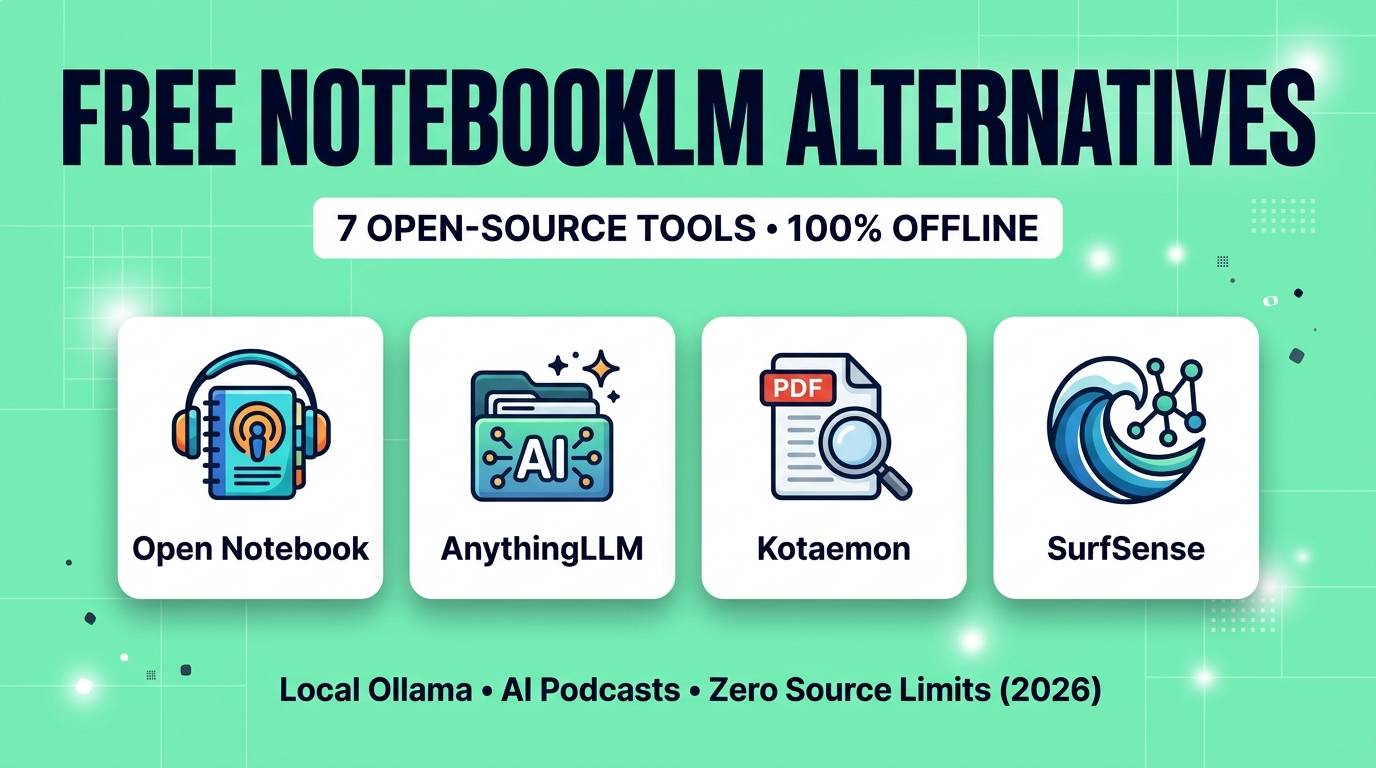
- Open Notebook: The closest 1:1 open-source clone (MIT license, 40,000+ GitHub stars) — supports 18+ AI providers including local Ollama, and generates 1-to-4 speaker AI podcasts with editable scripts.
- AnythingLLM: The easiest 1-click desktop app for Mac, Windows, and Linux (67,000+ GitHub stars) with built-in vector database, local document RAG, and agent skills.
- SurfSense & Kotaemon: Purpose-built for deep research citations — SurfSense pairs local Kokoro TTS podcasts with Slack/Notion/YouTube connectors, while Kotaemon delivers pinpoint PDF page-bounding-box citations.
- 100% Offline & Free: Every tool here runs locally on your computer with zero subscription fees, zero source limits, and complete data sovereignty.
Google's NotebookLM changed the way students, writers, and researchers interact with documents. Dropping 20 PDFs into a workspace, asking cited questions, and listening to two AI hosts discuss your notes like a real podcast felt like magic.
But the moment you try to use NotebookLM for serious daily work, its walls become obvious: you cannot upload confidential client contracts, medical records, or proprietary code to Google's servers; you cannot query across multiple notebooks at once; you cannot choose your own AI model; and you are stuck with the same two podcast voices every single time.
In 2026, the open-source community has built a remarkable lineup of self-hosted and desktop alternatives that give you everything NotebookLM does — including multi-speaker AI podcasts and cited PDF research — while running 100% offline on your own machine for $0.
We tested the top open-source knowledge and RAG workspaces across large PDF corpora, YouTube transcripts, and local Ollama models. Here are the 7 best free open-source NotebookLM alternatives in 2026.
Quick Comparison Table
| Tool | Install Format | AI Podcast Generation | 100% Offline Mode | Best Strength | License |
|---|---|---|---|---|---|
| Open Notebook | Docker / Self-Hosted | ✅ Yes (1 to 4 speakers) | ✅ Yes (Ollama) | Closest NotebookLM UI & scriptable podcasts | MIT |
| AnythingLLM | Mac / Win / Linux App | ❌ No (Text & Voice chat) | ✅ Yes (Built-in LLM) | Easiest 1-click desktop RAG workspace | MIT |
| Kotaemon | Desktop / Docker | ❌ No | ✅ Yes (Ollama / LlamaCpp) | Visual PDF highlight citations & hybrid RAG | Apache 2.0 |
| SurfSense | Desktop App / Docker | ✅ Yes (Local Kokoro TTS) | ✅ Yes (Ollama + Kokoro) | Connects Notion, Slack, GitHub & YouTube | Apache 2.0 |
| Khoj | Desktop / Self-Hosted | ❌ No | ✅ Yes (Local models) | Deep Obsidian & Markdown vault integration | AGPL-3.0 |
| Open WebUI | pip / Docker | ❌ No | ✅ Yes (Ollama) | Massive extension ecosystem & multi-user | BSD-3 |
| GPT4All | Mac / Win / Linux App | ❌ No | ✅ Yes (Zero setup) | Point at any local PC folder with 0 config | MIT |
1. Open Notebook — Best Closest Clone & 4-Speaker AI Podcasts
If you love Google NotebookLM's exact workflow — collecting PDFs, YouTube videos, web links, and audio files into dedicated research notebooks, taking notes alongside an AI chat, and generating audio overviews — Open Notebook is the closest 1:1 open-source replacement ever built.
Unlike Google's closed platform, Open Notebook puts you in complete control of both your data and your AI models. It supports over 18 model providers out of the box, letting you run 100% locally via Ollama or mix and match cheap cloud APIs (like DeepSeek, OpenRouter, or Groq).
Its standout killer feature is its Multi-Speaker Podcast Studio. While Google forces you to use two fixed hosts and gives you zero control over what they say, Open Notebook lets you configure 1 to 4 distinct speakers, customize their personalities and voices, and edit the generated podcast script before rendering the audio.
Open Notebook Scores
2. AnythingLLM — Best 1-Click Offline Desktop App
Not everyone wants to run Docker containers or Python environments just to chat with their PDFs. AnythingLLM solves this by shipping a polished, native desktop installer for macOS, Windows, and Linux that works out of the box in 60 seconds.
When you launch AnythingLLM, it includes an embedded vector database (LanceDB), built-in local embedding models, and a one-click local LLM downloader — meaning you do not even need to install Ollama separately if you do not want to. You create isolated "Workspaces" (just like notebooks), drag in massive folders of PDFs, Word docs, CSVs, or code files, and ask cited questions with zero source limits.
AnythingLLM also goes beyond passive Q&A with no-code AI Agent Skills: inside your workspace, you can ask the agent to scrape a live webpage, query a local SQLite database, save summaries to a file, or generate charts from your uploaded spreadsheets.
AnythingLLM Scores
3. Kotaemon — Best for Academic Papers & Exact PDF Citations
When you are writing a thesis, reviewing legal contracts, or analyzing scientific papers, an AI summary is useless if you cannot verify where the quote came from. Kotaemon (Apache 2.0) was built specifically for high-trust document verification.
When Kotaemon answers a question from your uploaded PDFs, it renders a clean split-screen PDF viewer right next to the chat. Click any inline citation number `[1]`, and the PDF viewer automatically jumps to the exact page and draws a highlighted box around the exact paragraph, table, or figure the AI used to generate its answer.
Under the hood, Kotaemon combines full-text keyword search with vector embeddings and GraphRAG (knowledge graph reasoning), making it dramatically better at answering big-picture questions across dozens of dense technical documents.
Kotaemon Scores
4. SurfSense — Best for Connected Apps & Local Kokoro Podcasts
One of Google NotebookLM's biggest annoyances is manually exporting files from Notion, Slack, or GitHub just to re-upload them into a notebook. SurfSense eliminates that busywork by acting as a private, self-hosted knowledge hub that syncs directly with your existing tools — including Notion workspaces, Slack channels, GitHub repos, Linear issues, and YouTube playlists.
Even better, SurfSense features 100% offline podcast generation powered by Kokoro TTS. Because Kokoro-82M runs locally on your CPU or GPU, SurfSense turns your synced research notes into crisp, natural-sounding audio podcasts without sending a single word to cloud voice APIs.
SurfSense Scores
5. Khoj — Best Personal AI Brain for Obsidian & Markdown
If your life's work already lives inside an Obsidian vault or folders of plain Markdown files, importing files manually into a separate web app breaks your workflow. Khoj installs directly as an Obsidian plugin (or standalone self-hosted server) and continuously indexes your local notes in real time.
You can ask Khoj semantic questions across years of personal journals, book highlights, and PDFs using local Ollama models, schedule automated daily research briefings, and keep every file in plain text on your hard drive.
6. Open WebUI — Best All-in-One Self-Hosted Workspace
If you already use Open WebUI as your local ChatGPT interface, you already have a powerful NotebookLM alternative built right in. Under the Workspace → Knowledge tab, you can upload unlimited PDFs, codebases, and web pages into named collections, then type #collection-name in any chat to ground the AI strictly in those sources with inline citations.
7. GPT4All (LocalDocs) — Best Zero-Setup Offline Folder Chat
For lawyers, journalists, or doctors who want zero configuration and guaranteed air-gapped security, GPT4All is unbeatable. Download the app, click LocalDocs → Add Collection, select a folder on your PC, and start chatting with your documents completely offline — no accounts, no API keys, and no Docker setup required.
How to Run Your AI Notebook 100% Offline With Ollama
The 3-Minute Offline Research Stack:
1. Install Ollama (ollama.com) on your Mac, Windows, or Linux computer.
2. Pull a fast, long-context model for reading documents and an embedding model for search:
ollama pull qwen2.5:7b and ollama pull nomic-embed-text
3. Open AnythingLLM, Open Notebook, or Kotaemon, select Ollama as your LLM & Embedder provider, and drop in your PDFs. You now have an unlimited, 100% private research assistant that works even on an airplane with Wi-Fi turned off.
Which NotebookLM Alternative Should You Choose?
Our Recommendations by Use Case
- You want the closest NotebookLM experience + editable 4-speaker podcasts: Choose Open Notebook.
- You want the easiest 1-click desktop app with zero Docker setup: Choose AnythingLLM or GPT4All.
- You are a student or researcher who needs visual PDF page highlights: Choose Kotaemon.
- You want to sync Notion, Slack & YouTube + generate offline Kokoro podcasts: Choose SurfSense.
- You live inside Obsidian and want an AI second brain: Choose Khoj.
Frequently Asked Questions
Which open-source NotebookLM alternative generates AI podcasts like Audio Overviews?
Open Notebook and SurfSense both generate multi-speaker AI podcasts from your uploaded documents. Open Notebook supports 1 to 4 customizable speakers with editable scripts, while SurfSense lets you generate 100% offline podcasts locally using the open-weight Kokoro TTS model.
Are there any source limits in AnythingLLM, Open Notebook, or Kotaemon?
No. Unlike Google NotebookLM (which caps free notebooks at 50 sources), self-hosted and desktop open-source RAG tools have no artificial source limits — you are only limited by your computer's hard drive space.
Can I use these tools completely offline without internet access?
Yes. When paired with local model runners like Ollama or LM Studio (or using AnythingLLM and GPT4All's built-in local engines), all document indexing, vector search, and AI chat happen 100% offline on your own CPU or GPU.
Which local AI model is best for chatting with long PDFs in Ollama?
For 8GB–16GB RAM laptops, Qwen 2.5 (7B or 14B) and Llama 3.2 paired with the nomic-embed-text embedding model deliver fast, accurate grounded answers with low hallucination rates.
You do not need to hand over your private research, client documents, or study notes to cloud tech giants just to get AI summaries and audio overviews. Install AnythingLLM or Open Notebook today, connect Ollama, and own your personal AI knowledge base forever.
Want to pair your local research notebook with free offline voice synthesis or PDF parsers? Check out our guides to the 9 Best Free AI Audio & Voice Tools and 10 Truly Free AI Tools With No Sign-Up, or browse our complete AI tools directory.